
Smart Client1.1.0 - App Store
You'll be able to see results in few seconds.
Publisher Description
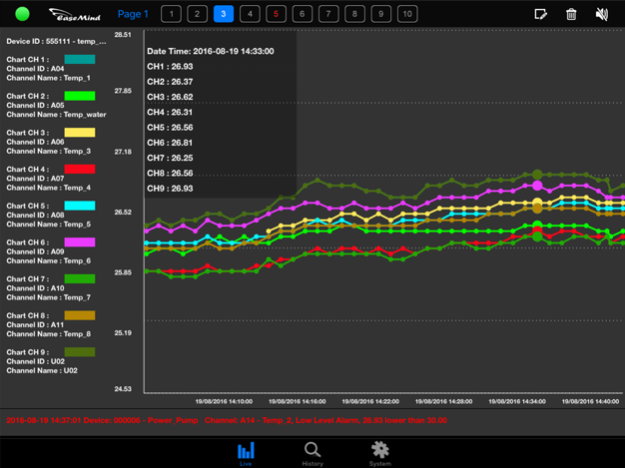
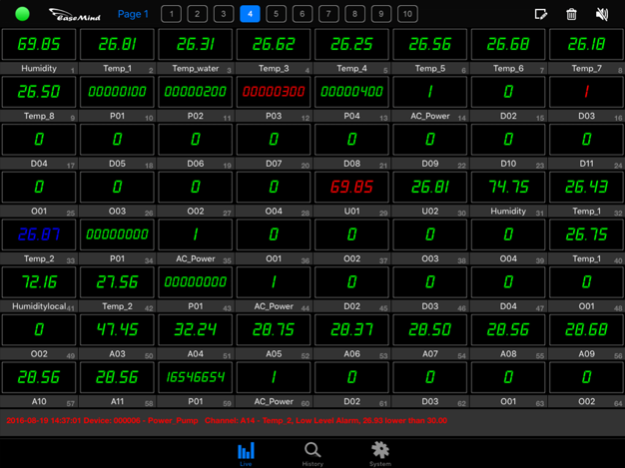
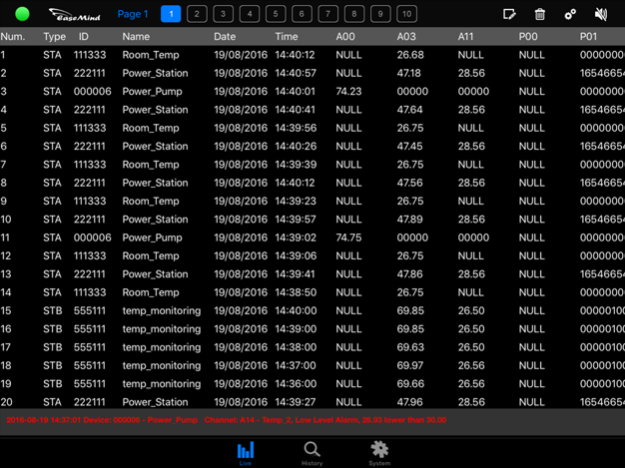

Smart Client [GSX Client] allows user to access and view the data from GSX and GS828 series Data Logger in a user-friendly interface. Operation can be no more than tap the picture or pinch on iPad screen.
Smart Client for iPad replaces the expensive and proprietary HMI monitoring system. It is an enhanced version of Ultimate Client.
Server Mode: data from Ultimate Server 3.3.22 or above
Direct Mode: data from data logger directly
[Applications]
Production line real time monitoring
Remote Environmental control
Factory Automation Control
Industrial Equipment Monitoring
Cold Chain Storage Monitoring
Wireless Data Tracking System
[License]
Unregistered: Smart Client Lite supports limited features in direct mode only
Server Key Registration: Smart Client supports server mode only
Licensed Key Registration: Smart Client supports full function in both server and direct mode
Registered User extra features:
* HMI background picture can be imported by user, and more pictures can be stored.
* Split Screen provides max. 3x3 channels display.
* Line Chart gives user more choices of chart styles for different applications.
* Data Listing allows wider range of period for display.
* More channels and data loggers are supported simultaneously
Data Presentation Graphics:
1. HMI (Human Machine Interface)
2. Split Screen
3. Line Chart
4. Data Listing
5. Dashboard
When will data be delivered to Smart Client?
1. On-schedule in every interval
2. User request
Visual Alarm and Email Alarm will be triggered when incoming data is beyond the user preset range.
Sep 18, 2022
Version 1.1.0
fix issues
About Smart Client
The company that develops Smart Client is Easemind Technology Ltd.. The latest version released by its developer is 1.1.0.
To install Smart Client on your iOS device, just click the green Continue To App button above to start the installation process. The app is listed on our website since 2022-09-18 and was downloaded 0 times. We have already checked if the download link is safe, however for your own protection we recommend that you scan the downloaded app with your antivirus. Your antivirus may detect the Smart Client as malware if the download link is broken.
How to install Smart Client on your iOS device:
- Click on the Continue To App button on our website. This will redirect you to the App Store.
- Once the Smart Client is shown in the iTunes listing of your iOS device, you can start its download and installation. Tap on the GET button to the right of the app to start downloading it.
- If you are not logged-in the iOS appstore app, you'll be prompted for your your Apple ID and/or password.
- After Smart Client is downloaded, you'll see an INSTALL button to the right. Tap on it to start the actual installation of the iOS app.
- Once installation is finished you can tap on the OPEN button to start it. Its icon will also be added to your device home screen.
Program Details
System requirements
Download information
Pricing
Version History
version 1.1.0
posted on 2022-09-18
Sep 18, 2022
Version 1.1.0
fix issues
version 1.0.8
posted on 2014-09-07
Disclaimer
Official App Store Link
We do not host Smart Client on our servers. We did not scan it for viruses, adware, spyware or other type of malware. This app is hosted by Apple and passed their terms and conditions to be listed there. We recommend caution when installing it.
The App Store link for Smart Client is provided to you by apps112.com without any warranties, representations or guarantees of any kind, so access it at your own risk.
If you have questions regarding this particular app contact the publisher directly. For questions about the functionalities of apps112.com contact us.
